Excuse me

A Sidechain Mega-Suite.

Excuse me packs four types of unique sidechaining, multi-band functionality, custom envelope shaping, and lots of deep modulation/fx into a single, overloaded package.

VST3 and AU for Mac · VST3 for Windows

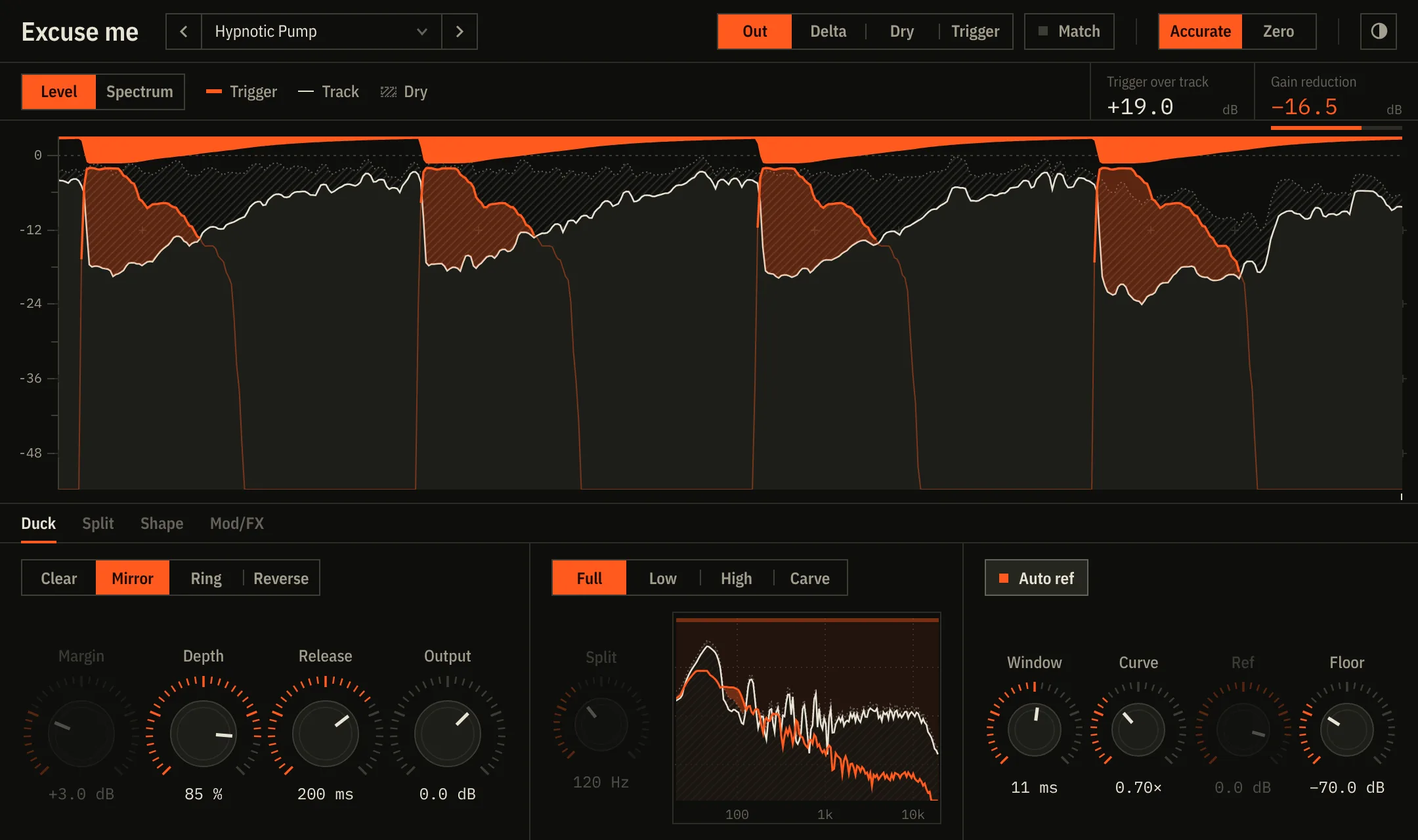
The Excuse me plug-in: a level graph where each kick rises above the track as the track dips under it, with the Duck controls below.

Four ways to make room.

  • ClearOnly duck as far down as needed for the kick to be a certain dB higher than the sidechained signal.
  • MirrorThe classic pump. Transparent and clean.
  • RingRing-mod sidechain: the track is multiplied by the kick's waveform, adding a grit that SOME people like.
  • ReverseThe opposite of traditional sidechaining: the track gains volume every hit.
Gain reduction0.0 dB
KickYour trackTaken away

Multiband sidechaining.

Choose “Full,” “Low,” or “High” to pick the frequencies you want, and change the crossover point freely. Or choose “Carve” mode to have the plugin duck only the overlapping frequencies. Plus more possibilities, like mid/side or sustain/transient.

  • Low / HighDuck only below or above a split frequency.
  • SplitMid or Side only, the track's sustain or its hits, the kick's body or its click.
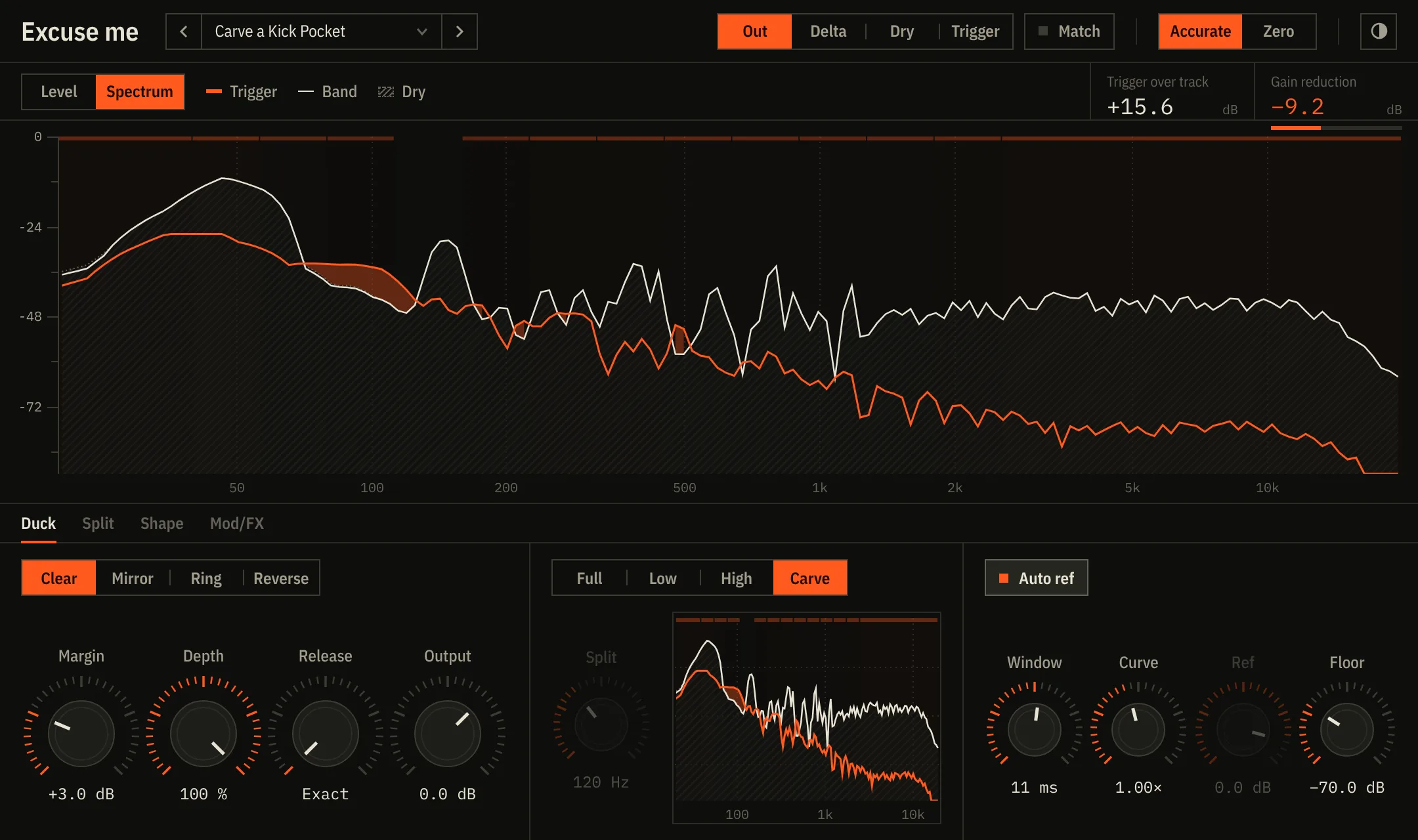
Spectrum view in Carve mode: the kick's spectrum in orange over the track, with the low bands highlighted where they are being turned down.

Countless modulation possibilities.

Up to four different envelopes that can be blended with an XY pad. Can be mapped to the duck, modulation, or fx.
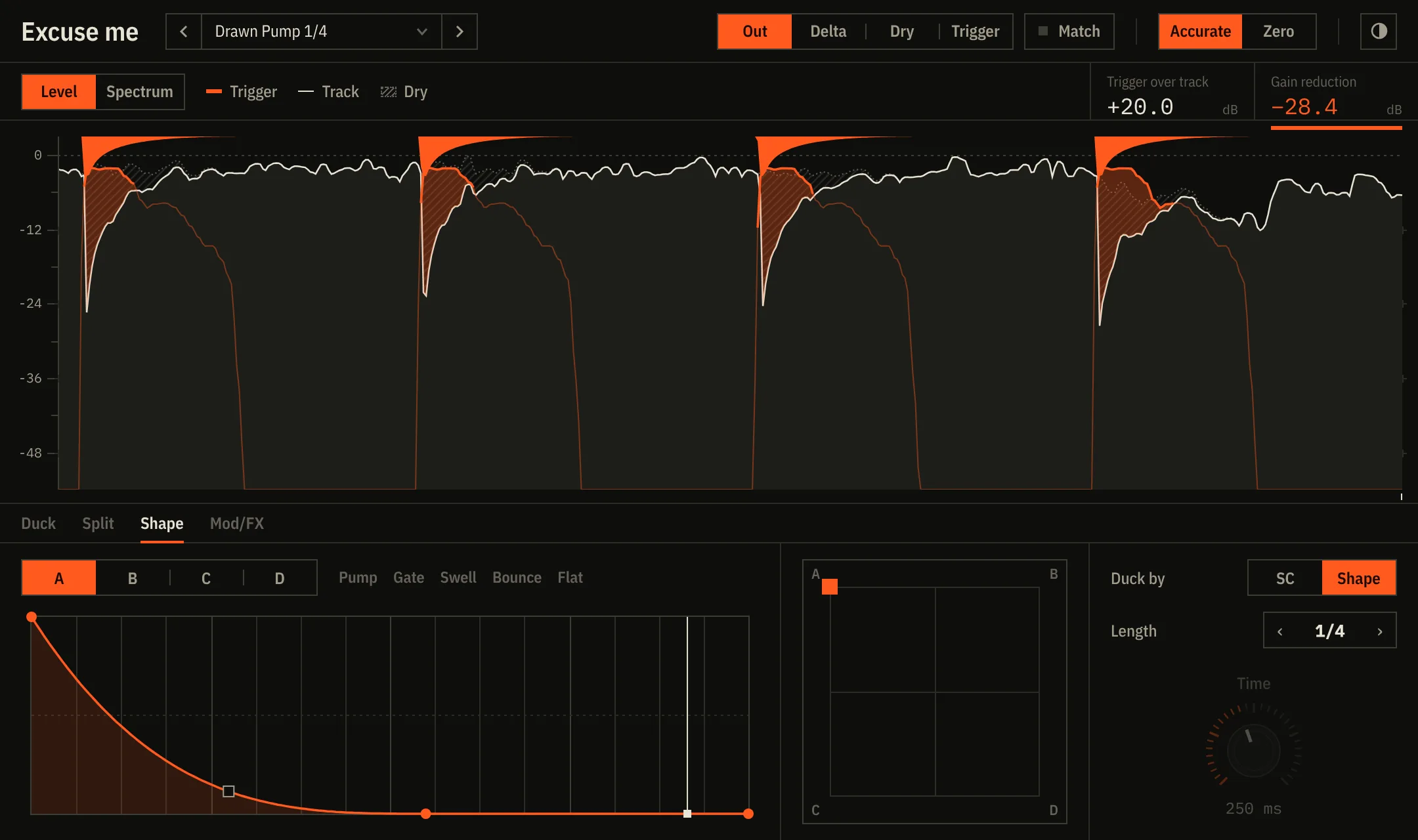
Shape tab: a drawn curve with bend handles, the A B C D morph pad, and Duck by and Length controls.

Many creative effects.

The sidechain signal can open a filter, widen or narrow the stereo image, pan, shift the pitch by semitones, or add drive. Each effect can be modulated by the signal, a drawn ADSR shape, or its own envelope.
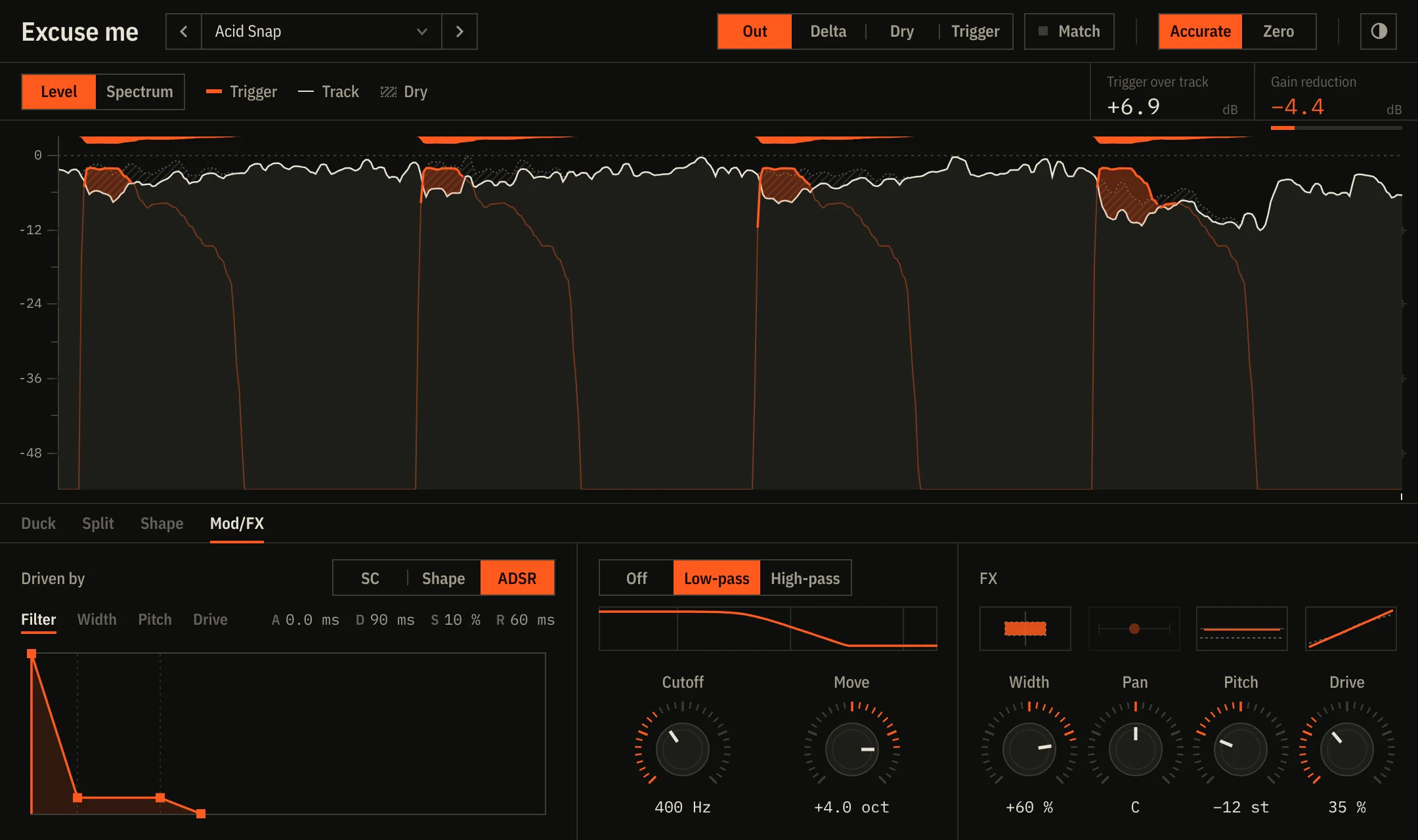
Mod/FX tab: an attack-decay envelope for the filter, the filter's response curve, and Width, Pan, Pitch and Drive dials with small live pictures above them.

Details

FormatsVST3 and AU on Mac, VST3 on Windows
SystemmacOS 10.13 or later (Apple Silicon and Intel), Windows 10 or 11 (64-bit)
Latency41 ms in Accurate (your DAW compensates), 0 ms in Zero for playing live
PresetsShips with 46 custom-made presets labelled by genre. Add or delete your own.
LookLight and Dark mode, helpview for every non-intuitive control.
ActivationOffline: paste your key, no account, no internet check

Excuse me

One-time purchase. Key arrives right away by email.

  • Every mode, effect and preset
  • Free 14-day trial, nothing locked
  • Updates to version 3

Questions

What happens when the trial ends?

It keeps working, but goes silent for 3 seconds every 40 seconds until you enter a key. Nothing in your projects changes when you activate.

How do I install it?

Open the installer for your system and follow the steps. On a Mac it puts the VST3 and the AU in /Library/Audio/Plug-Ins, where every DAW looks. On Windows it puts the VST3 in C:\Program Files\Common Files\VST3. Then rescan plug-ins in your DAW (in Ableton: Settings → Plug-Ins, turn on Use VST3 Plug-in System Folders, press Rescan).

How do I activate it?

Click Trial in the plug-in's header, paste the key from your receipt email (or the whole email: it finds the key) and press Activate.

Which DAWs does it work in?

Any DAW that loads VST3 or AU and has sidechain routing: Ableton Live, Logic Pro, FL Studio, Bitwig, Cubase, Studio One, Reaper and others. Pro Tools (AAX) is coming soon.

Will it add latency?

Accurate mode adds 41 ms, which Ableton and other DAWs compensate automatically, so everything stays in time. Zero mode adds none, for playing live, and is a little less precise.